New to Mac: Apps, Widgets, and Setup
/ 2 min read
Table of Contents

Just got a 13” MacBook Air.
Updated to OS X 10.8.1 the day it arrived. Fast, and comfortable.
Notes on what I installed. Free apps first. Paid ones can wait.
Productivity
- SizeUp: window management. Convenient, though it pops a demo window.
- Mou: Markdown editor with a live preview.
- Dash: quick snippets and doc lookup.
- Calendar for Mac: a menu-bar calendar that actually shows events. (Added 2012/09/01)
Browser
- Firefox
- Chrome
- Opera
Storage
- Dropbox
- SkyDrive: still using it because an earlier promo left me with 25 GB.
Development and editors
- Sublime Text: my favorite plain-text editor. Settings are in this post.
- SmartGit: the best Git client I have used so far. SourceTree has wrecked a repo of mine.
- Xcode: iOS development.
Multimedia
- Hao Zhao Pian: handy photo effects.
- Skitch: screenshots, with a basic pen for markup.
- KKBox
- VLC Player (added 2012/09/01)
Terminal
- Go2Shell: open Terminal in the current Finder folder.
- iTerm: a stronger Terminal.
Social
- Adium: MSN, Gtalk, and the rest in one client.
- MenuTab for Facebook: a solid Facebook integration.
- TweetDeck: Twitter client. Useful when you are juggling accounts (I still have the jsdc.tw one).
- Skype
- Line
System
Still exploring Dashboard widgets:
- iStat Pro
- Currency Converter
- Day Counter
- HSlider
- Page Capture
- PEMDAS
- Translator
I had never owned a MacBook, so I actually read up on keyboard shortcuts. I was also tired of opening and closing System Preferences while I kept changing settings, so I bound a shortcut for it. This walkthrough is the one I followed.
A few commands and small tricks:
Show hidden files
defaults write com.apple.finder AppleShowAllFiles TRUEkillall FinderList installed packages (.pkg) — package or bundle, take your pick
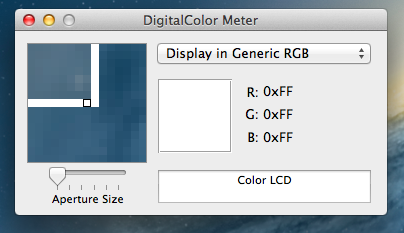
pkgutil --pkgsSample a color on screen with the built-in DigitalColor Meter.
I also installed a few everyday tools (htop, for example) through MacPorts. I will add more as I think of them.
Still unsolved: I want a good blog editor. Still looking between MarsEdit 3, Ecto, and the rest.
Other reference: 40 Useful Mac OS X Shell Scripts and Terminal Commands